Every contractor, ranked.
The ones with rejected, expired or overdue items come first, each with a bar of where it stands.

For safety consultants
Each contractor’s hiring clients on ISNetworld, Avetta and Veriforce, their documents and every expiry date, in a workspace of its own. One page shows which contractor needs you first, and what to do next across all of them.
Free during early access. No card, nothing is charged.
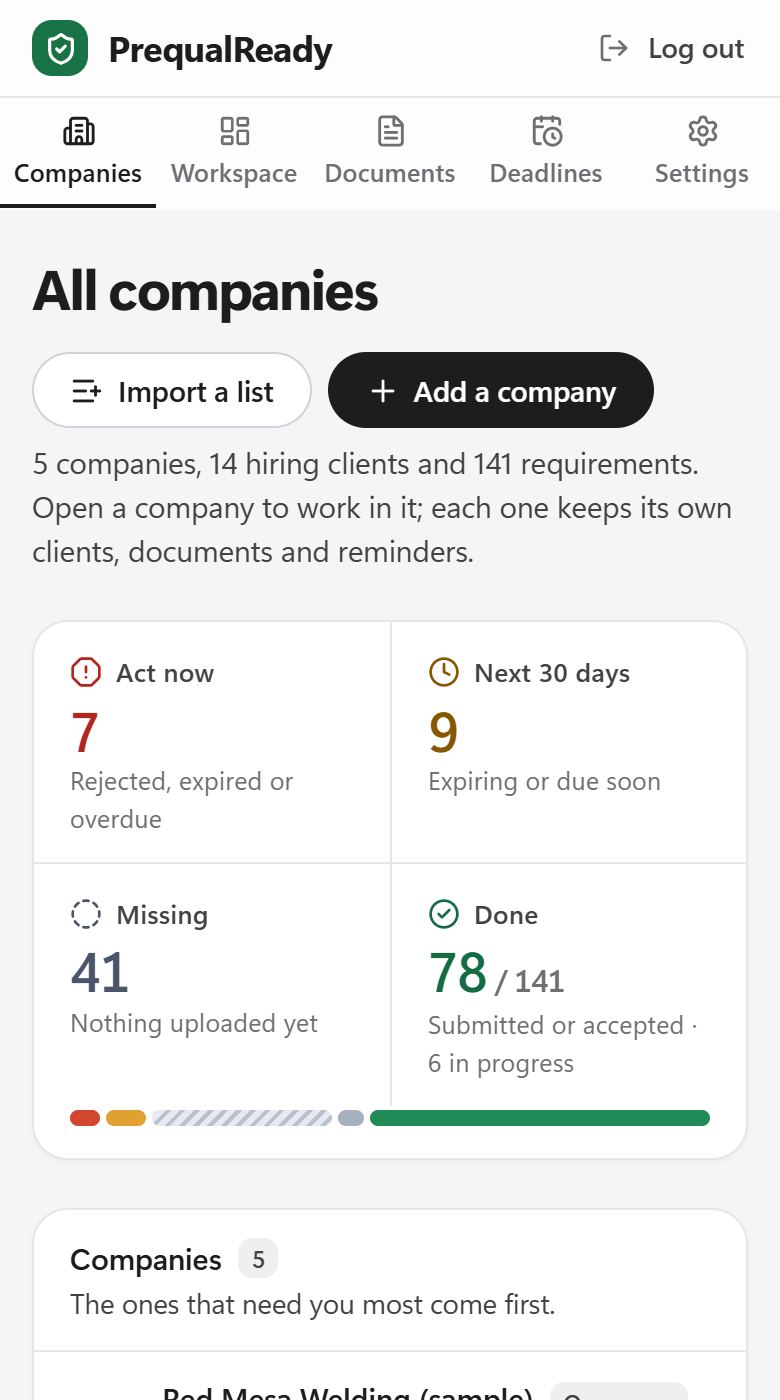
Every contractor you keep qualified is one more set of clients, networks and dates. PrequalReady puts them on one page, ranked by what needs you first.
Each tile is something the app does today, in its own words. The companies shown are samples.
The ones with rejected, expired or overdue items come first, each with a bar of where it stands.
Up to 50 companies under one account, each kept apart.
Open any line and you land on it, in the right company.
Rejected and expired items first, then what is due, then what is missing, with the company on every line.

Your contractors and their hiring clients in one go: a preview first, then the companies are created.

Its own clients, documents and dates, with private files. One reminder email each morning covers all of them. You set every status.
There is no import from the networks, so the first pass is manual. After that, you mostly update statuses and dates.
Create an account, then paste the contractors you keep qualified and each one’s hiring clients. Or add the first contractor by hand.
Pick each client’s network, or pick a client you already use in another company. The list of requirements fills in, each item with its source.
Upload each document once, with its expiry date. Then add the next contractor.
Planned, not built yet
We would rather build what consultants ask for than guess. Write to [email protected] with the one you would use first.
Every account gets everything the app does today, and nothing is charged. We tell you at least 30 days before any paid plan applies.
Every contractor company you keep qualified, with all networks, clients and email reminders.
$29per month, per contractor company
Nothing is charged unless you choose it inside your account.
No. It does not log in to the networks, read grades or submit anything, and it never needs your network password. You keep working on the networks; PrequalReady is where you track your side of each contractor.
Only the company’s owner. Each company’s files are private to that company, and every download passes an access check. PrequalReady staff see nothing unless you allow support access, for 7 days, from Settings, and every visit is listed. See Security & data.
Not yet. Today you hold the account and the company workspaces. Logins for your contractors are planned; tell us if that is what you need first.
No. You set every status. PrequalReady keeps the records and the dates and ranks what to do next. The grade is decided by the network and the hiring client, and nobody but them can promise it.
Paste a list with each contractor and its hiring clients and networks, check the preview, and the companies and clients are created in one go. Or add them one by one. Up to 50 companies fit in one account today; if you need more, write to [email protected].
Nothing during early access. After that, the planned price is $29 per month for each contractor company, and we email you at least 30 days before any charge. Nothing is charged unless you choose it inside your account. See Pricing.
Create an account and add your first contractor. Free during early access, no card.