Add a hiring client and pick its network
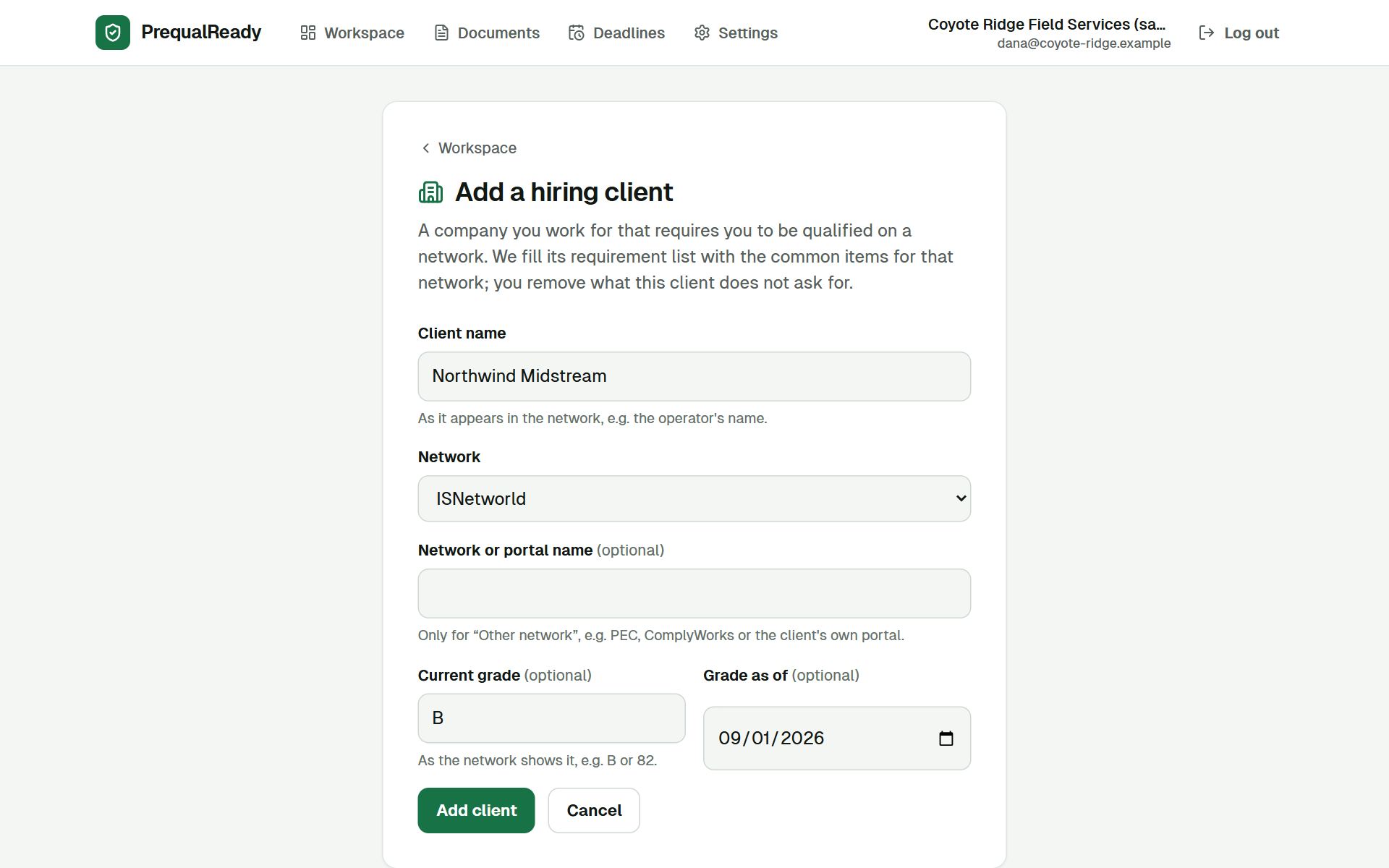
Every client that requires you to be qualified gets its own page. Start with the one that matters most.
Screens from the real app, in the order you would use it. The company, its clients and documents are made up; the screens and the reminder email are real.
Every client that requires you to be qualified gets its own page. Start with the one that matters most.
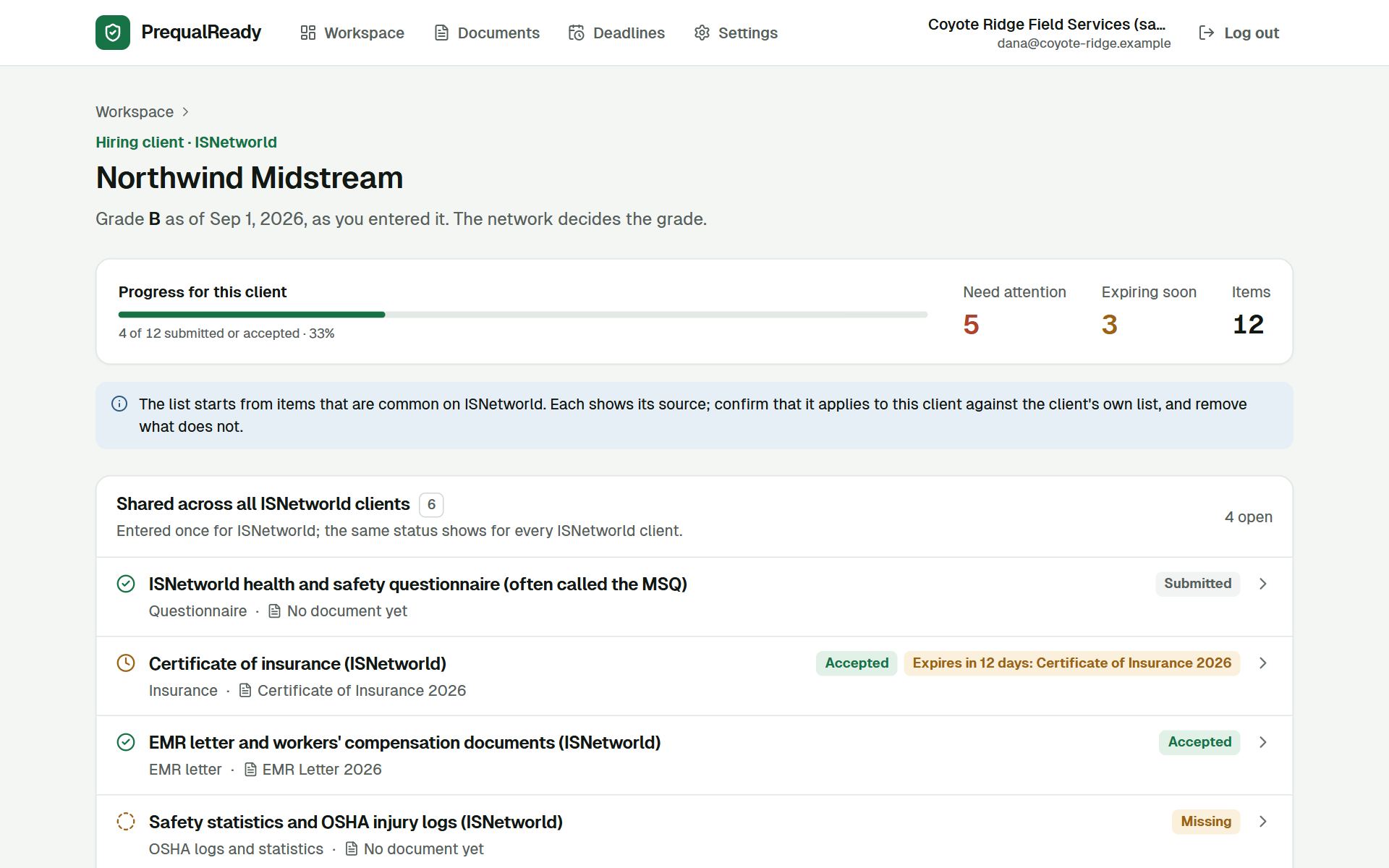
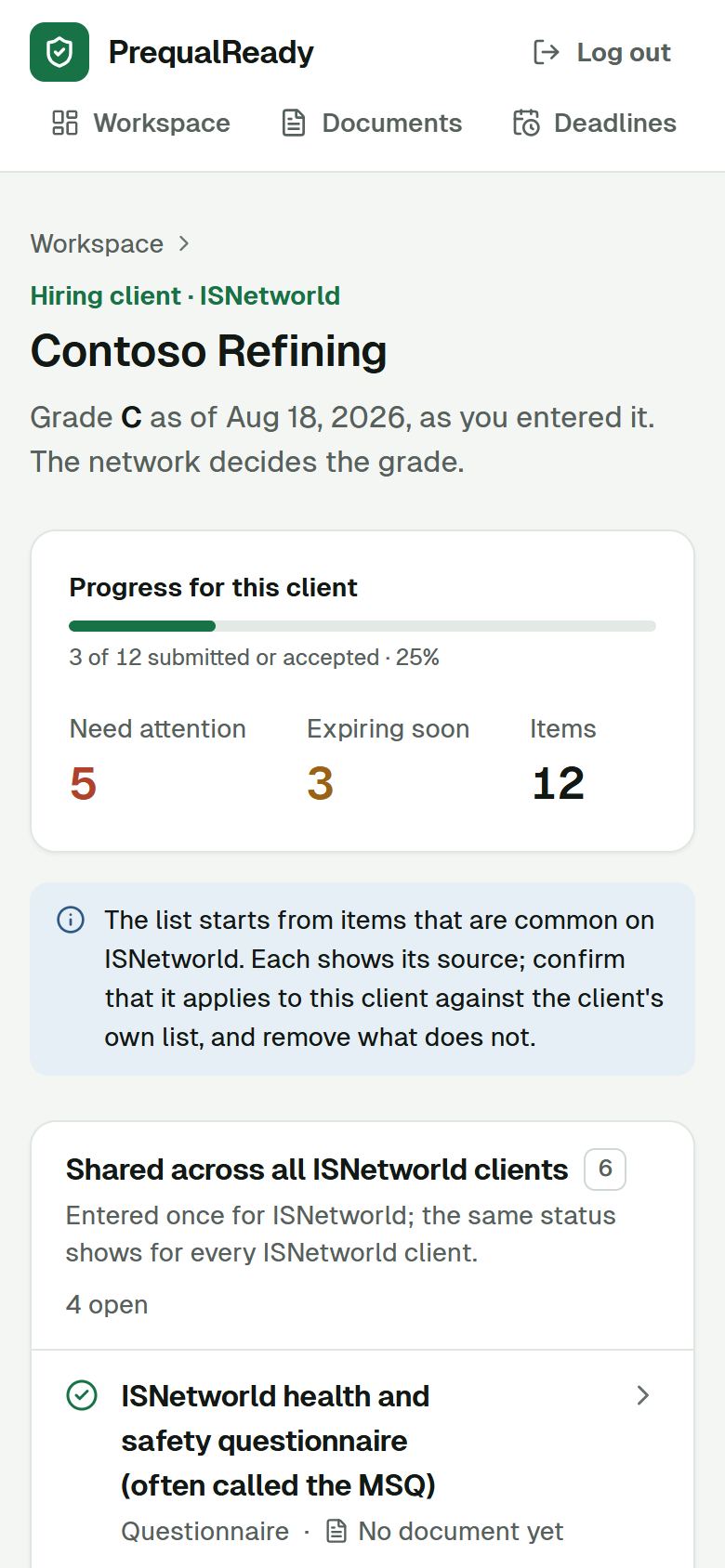
Items every client on the network shares, like the questionnaire, insurance and injury statistics, are entered once for the network. Items only this client asks for are listed separately.
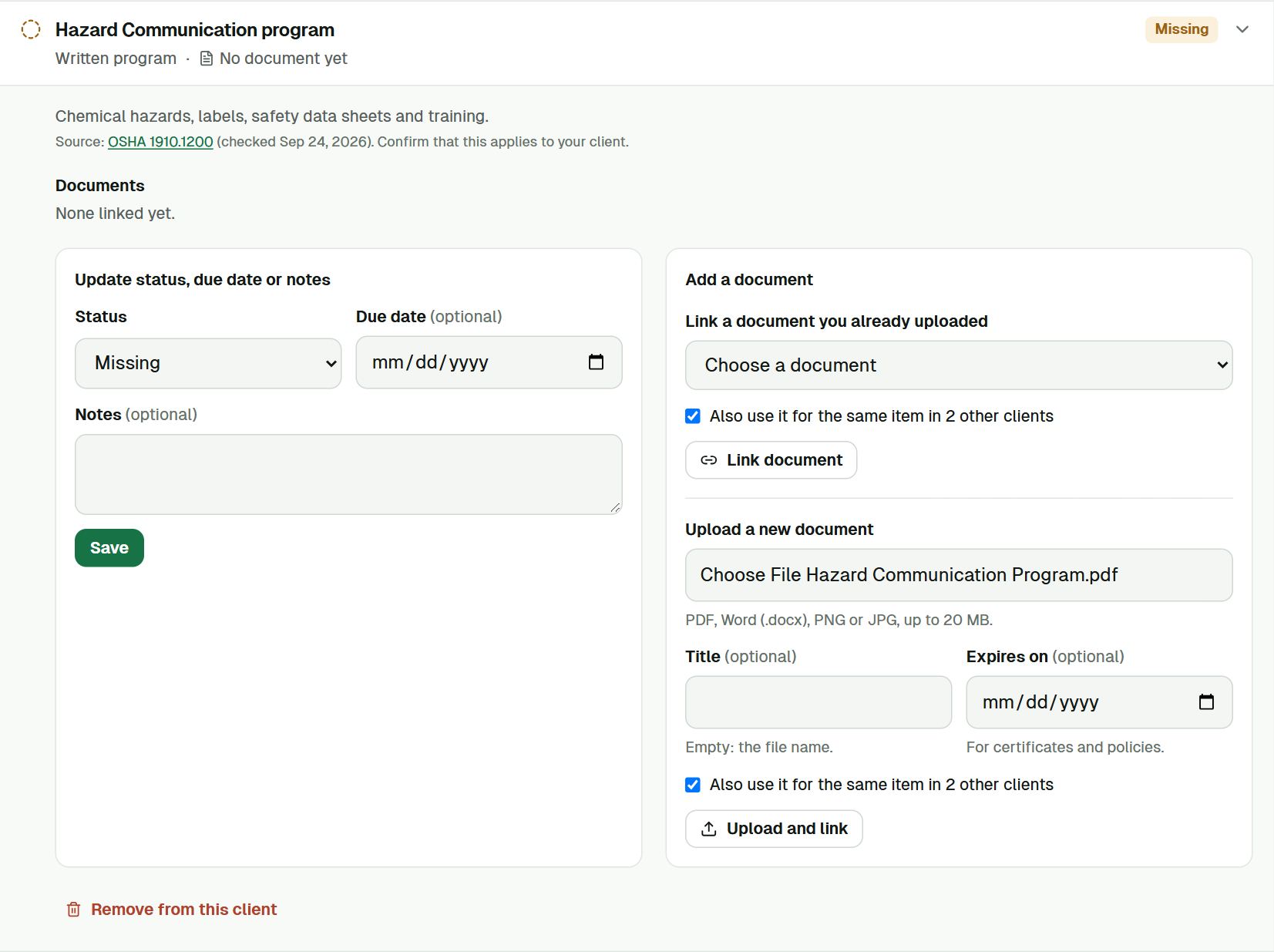
A written program or certificate often covers the same item for several clients. You upload it once.
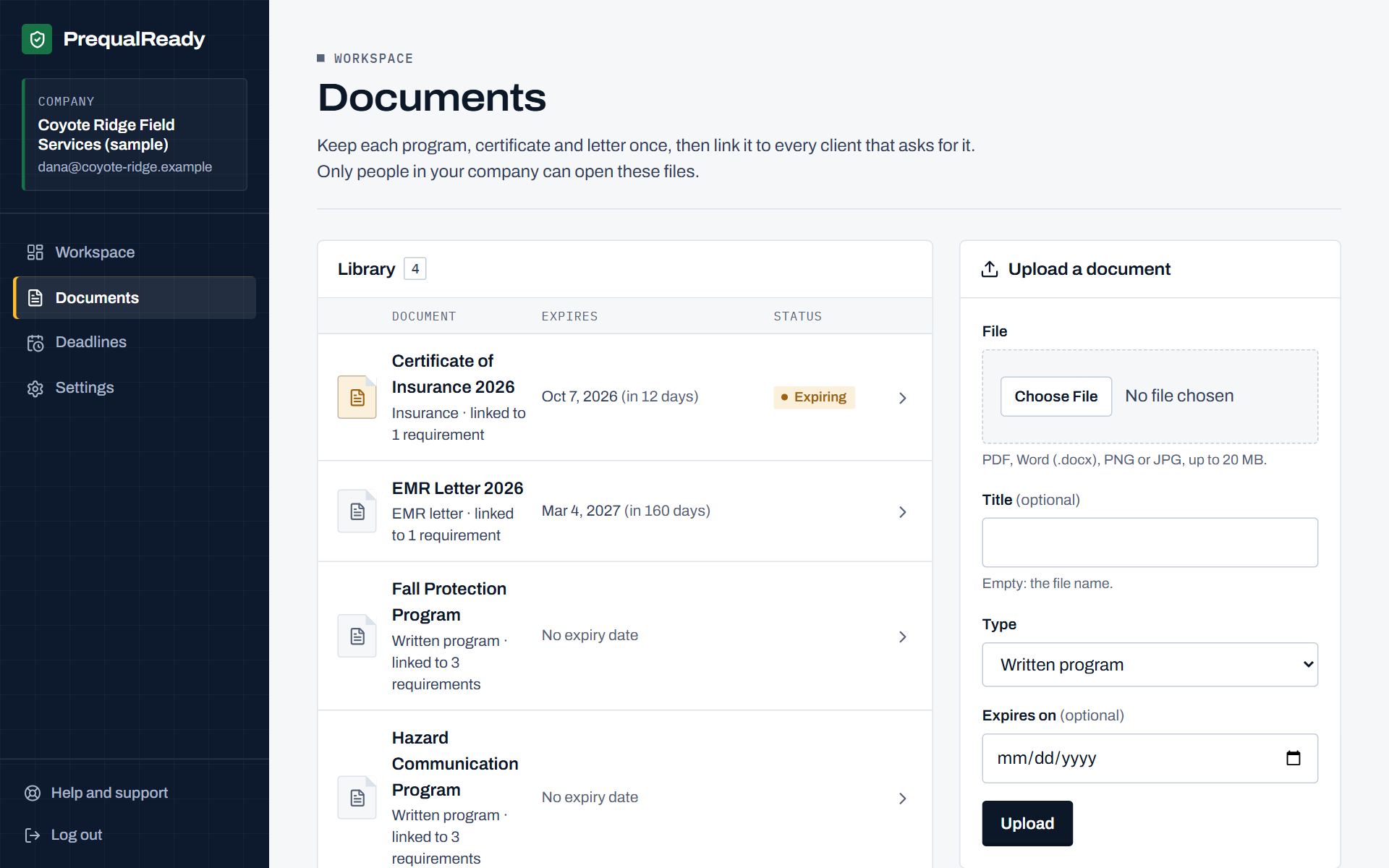
Each document appears once, with its type, its expiry date and how many requirements use it.
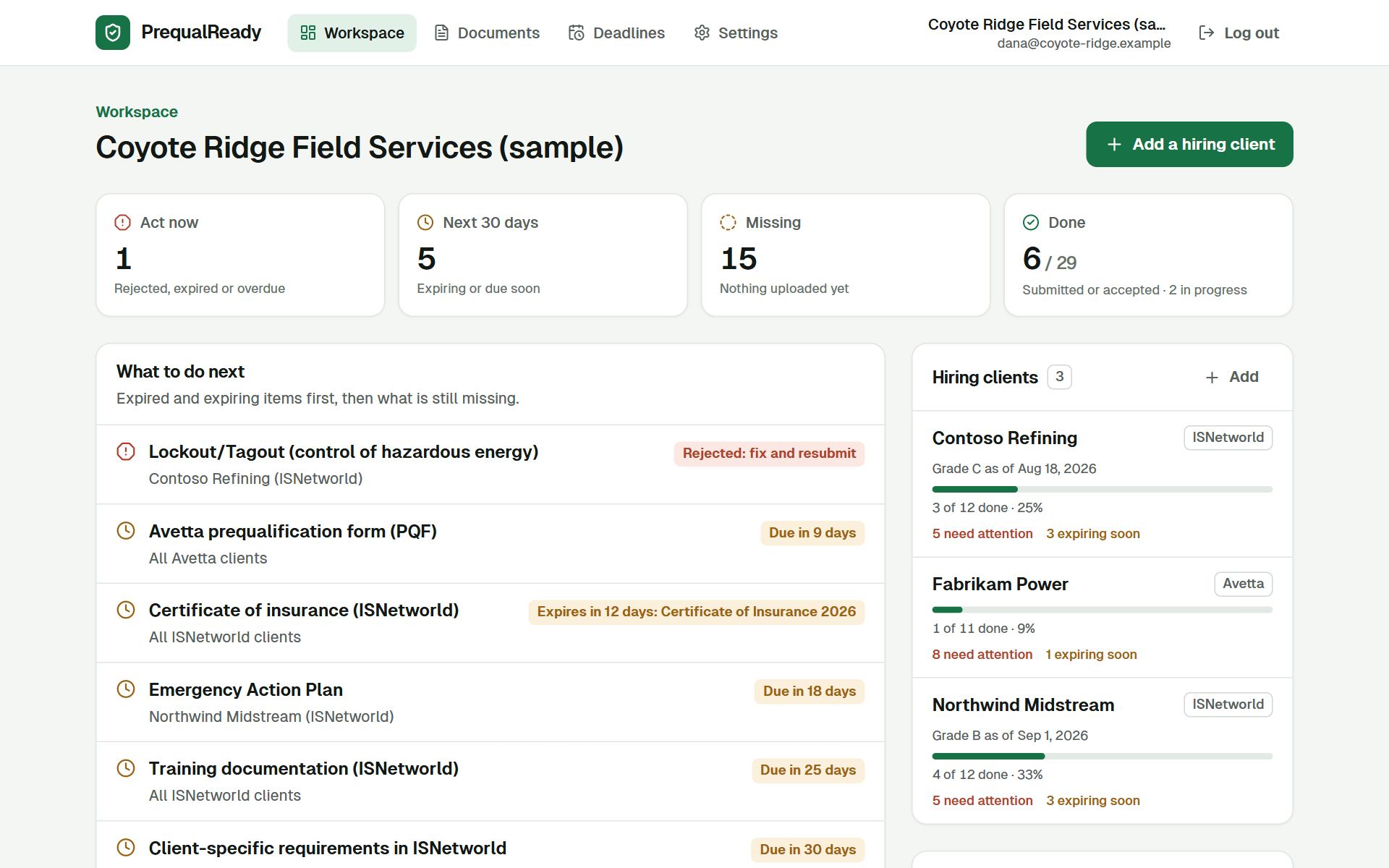
The workspace home answers "what needs us this week?" for every client at once.
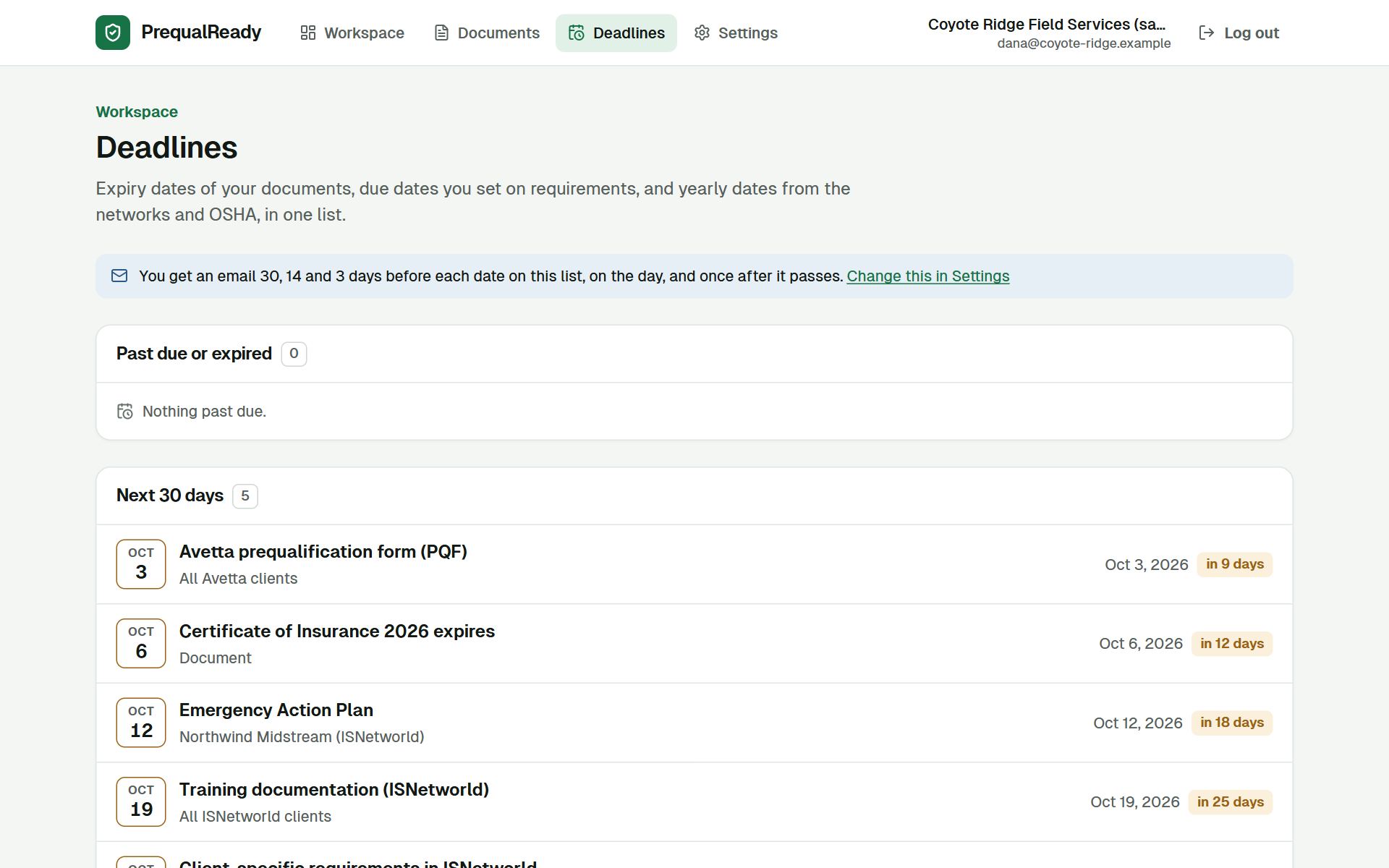
Document expiries, due dates you set, and yearly dates such as the OSHA 300A posting and the Avetta annual update, grouped as past, the next 30 days, and later.
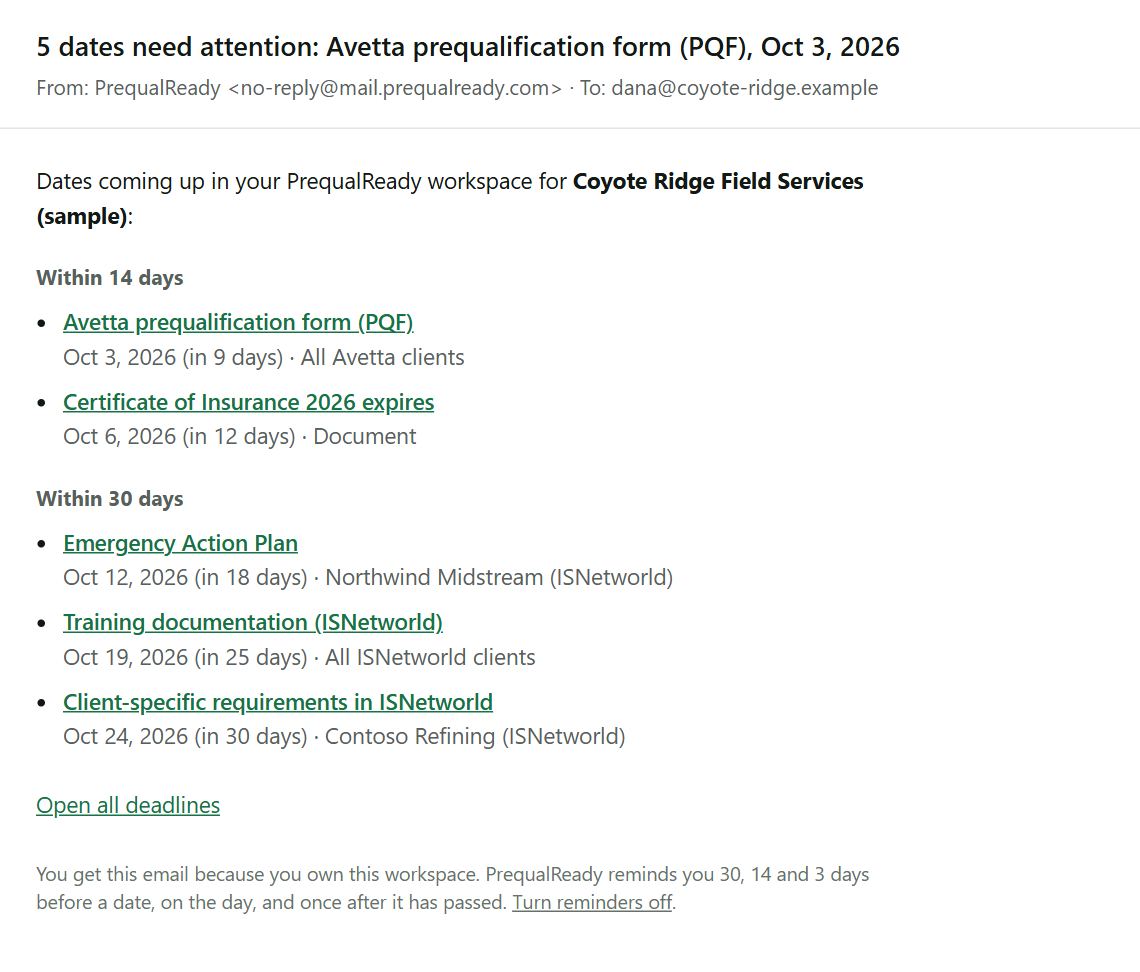
The reminder email the sample company gets on the day these screens were captured, from the app's real email template: the same five dates as the deadlines page.
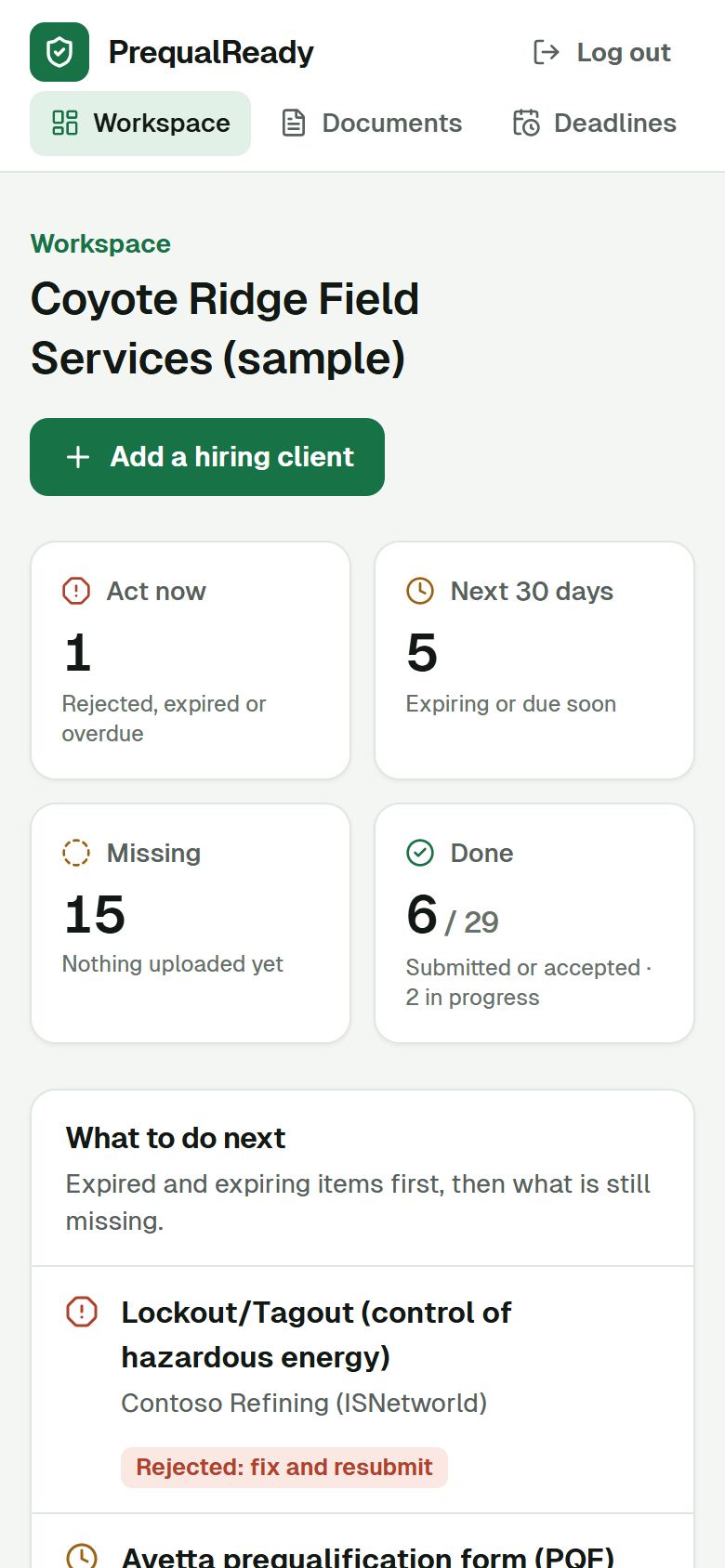
The same workspace works in a phone browser: check what is due, open a client, update a status. Uploading many files is easier on a computer.
Sample dataScreens captured from the app on September 24, 2026. Names are made up.
Create an account and add your first hiring client. Free during early access, no card.